-
 Quick ViewUncategorized
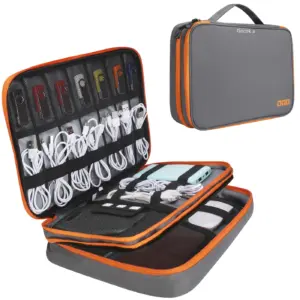
Portable Electronic Accessories Travel case,Cable Organizer Bag Gadget Carry Bag for iPad,Cables,Power,USB Flash Drive, Charger
Price range: $7.78 through $24.11 Select options This product has multiple variants. The options may be chosen on the product page -
 Quick ViewUncategorized
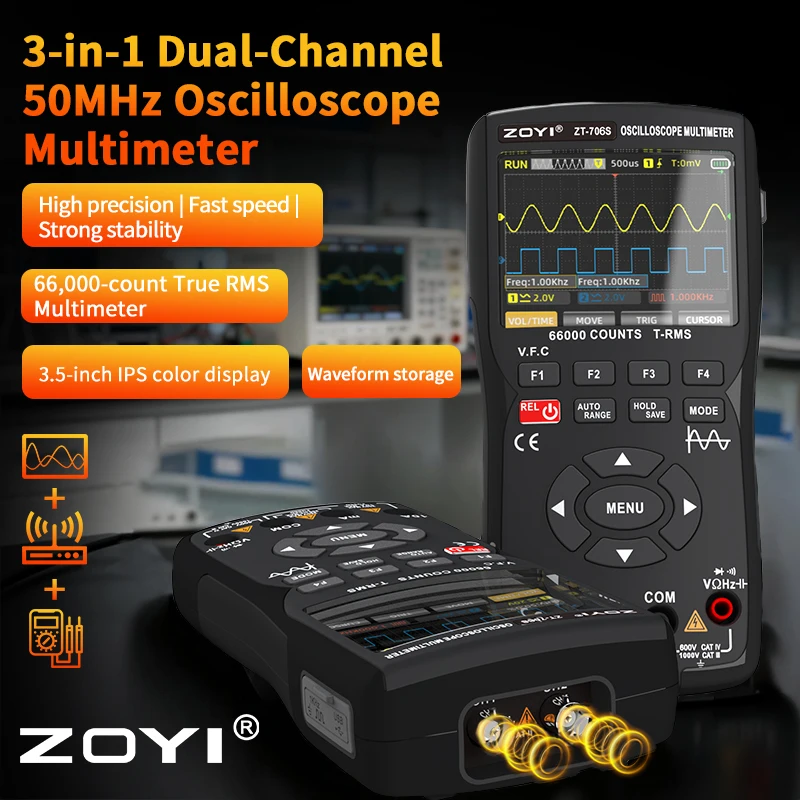
ZOYI ZT-706S 3-in-1 Oscilloscope Multimeter, 50MHz Bandwidth, 66000-Count Display, 10M Signal Generator, Electrician Repair
Price range: $136.48 through $139.96 Select options This product has multiple variants. The options may be chosen on the product page -
 Quick ViewUncategorized
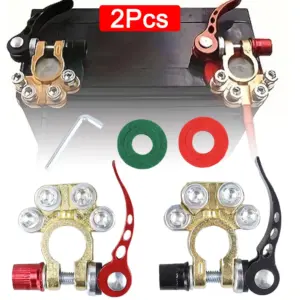
2Pcs Car Battery Terminal Connectors Quick Release Disconnect 12V 24V Positive Negative Battery Cable Ends for SAE/JIS Type Car
Price range: $2.65 through $6.74 Select options This product has multiple variants. The options may be chosen on the product page -
 Quick View
How to configure HowTo in UAE?
首先,只需将“操作指南”组件拖放到 Elementor 编辑器中即可。“操作指南”组件可用于标题中包含“操作指南”字样并描述实现特定目标步骤的页面。

Total Time Needed: 30 minutes
Total Cost: 69 USD
Required Tools:
- A Computer.
- Internet Connection.
- Google Structured Data Testing Tool.
Things Needed?
- A WordPress Website.
- Elementor Plugin.
- UAE Plugin.
Steps to configure the HowTo widget:
Step 1 : Enter the HowTo Schema title you want
Enter the title to your HowTo Schema
Step 2 : Enter the HowTo Schema description and add a relevant image
Enter the HowTo Description with a relevant image to your description.
Step 3 : Configure the Advanced settings. ie Total Time, Estimated Cost, Materials, Tools
Enter Total Time, Estimated Cost, Tools & Materials
Step 4 : Enter the Steps for your HowTo Schema
Steps for your HowTo Schema instructions. It can be a single step (text, document or video) or an ordered list of steps (itemList) of HowTo Step.